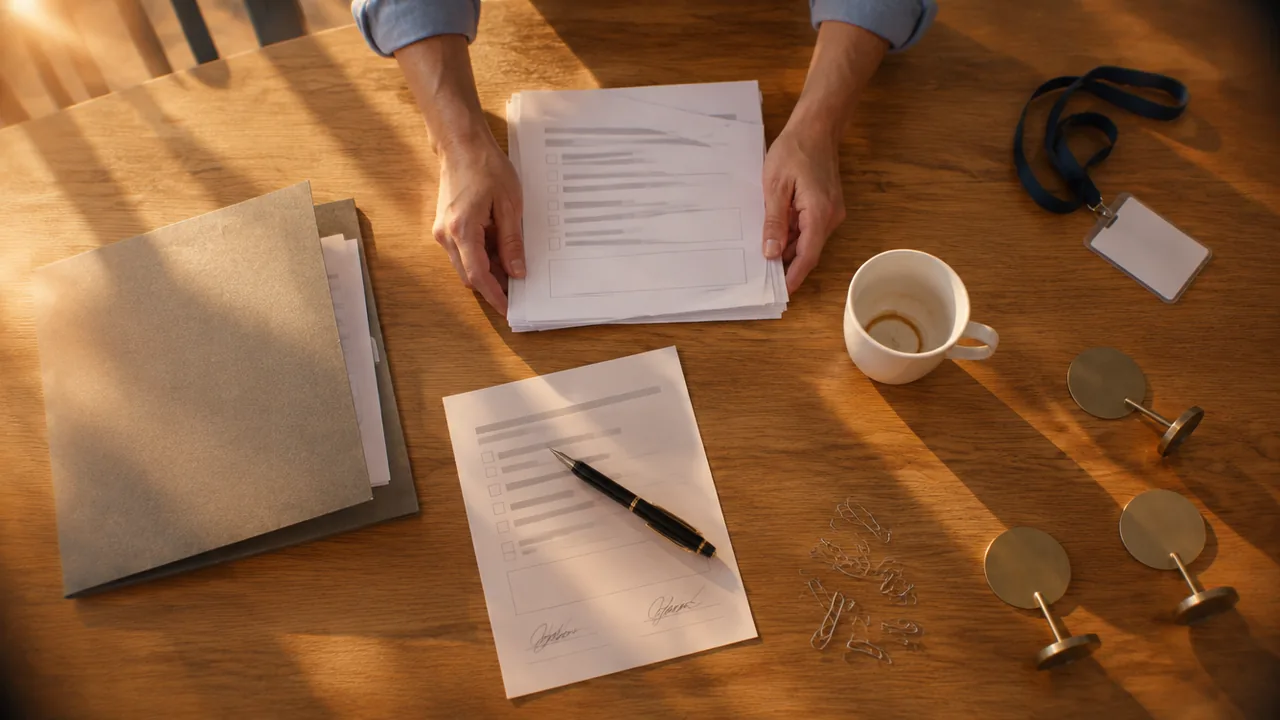
Ask three congresses when speakers must bring their slides, and you get two different answers. The San Antonio Breast Cancer Symposium (SABCS) and the International Society for Laboratory Hematology (ISLH) both asked presenters in 2026 to check in at the speaker ready room at least 24 hours before their session (SABCS 2026 and ISLH 2026 speaker information). ESMO Breast 2025 in Munich accepted final on-site checks until two hours before the session, after an online pre-upload weeks earlier. The right deadline depends on how your congress checks presentation files and sends them to the session rooms.
A speaker ready room is the space where presenters check, edit and hand over their presentations before they speak. Its real task is simple: every file that reaches a session room has been opened, tested and placed in the right slot. This guide shows how to set the deadline, size and staff the room, equip it and guide each speaker through it on the day, so that sessions start on time.
What is a speaker ready room?
Congress programmes list it as “Speaker Ready”, “Speaker Centre” or “Speaker Ready Room”, usually open from the day before the programme starts until the last session day. EDUCAUSE describes its 2026 room as a lounge where presenters get familiar with the presentation equipment, make last-minute changes and upload their talk to the presentation management system. That description contains the three jobs of the room:
- Check: the speaker sees their slides on the same kind of computer and projector used in the session rooms. SABCS gives its room the same audiovisual setup as its sessions, including microphone, clicker and projector.
- Edit: a corrected figure, a new result, a replaced video. The ready room is the last place where changes are accepted.
- Hand over: the file goes into the central system or onto the session computer, in the right room and in the right order.
The room matters most where many short talks follow one another. At the 2024 annual meeting of the Geological Society of America (GSA), a talk lasted 15 minutes: 12 for the presentation and three for questions. A speaker who spends two minutes connecting a laptop loses a sixth of their talking time. Repeat that across eight parallel rooms and the whole afternoon drifts.
The ready room protects the clock.
Speaker ready room, green room, run of show: what is the difference?
The ready room is one of several points where speakers meet your organisation, and the labels are often mixed up. Each one settles a different question for the programme team.
| Touchpoint | When | What it settles |
|---|---|---|
| Speaker agreement | Weeks to months before | Deadlines, rights, fees and what the speaker delivers |
| Run of show | Locked about a week before | Who does what, minute by minute, on each stage |
| Speaker ready room | From the day before until the last session | Whether each file works and sits in the right slot |
| Green room or backstage | Minutes before the talk | Microphone, seating order, time signals, nerves |
The slide deadline belongs in the contract, next to the other deliverables covered in our guide to the clauses of a speaker agreement. The minute at which the file must be live on stage belongs in the run of show for a B2B conference, together with the tech checks. The ready room is where both documents meet reality. If you are still looking for the people who will stand on that stage, start with how to get great speakers for your B2B conference.
Set the deadline from your AV setup, not from habit
Back to the two answers from the start. The right deadline depends on how files reach the lectern, and copying another congress’s rule without its system causes trouble.
A 24-hour check-in fits congresses that load files centrally and assign each presentation to a room and slot the evening before. GSA published one cut-off per presentation day in 2024: talks on Monday had to be uploaded by 18:30 on Sunday, and so on through the week. A two-hour rule needs an online pre-upload portal and a system that pushes revised files to the session rooms. At ESMO Breast 2025, presenting authors uploaded their slides to a portal by a deadline in April and could re-upload. Final checks happened in the Speaker Centre, and congress technicians then delivered the files to the auditorium.
For a medical congress with 300 speakers in eight parallel rooms, presentation handling has a direct effect on punctuality. Three decisions made in advance help keep sessions on schedule:
- Is there a pre-upload portal, and does the speaker agreement name its deadline?
- Can the system send a revised file to a session room within minutes, or does a technician carry a USB drive across the building?
- Who decides what happens to a speaker who arrives after the deadline?
Write the third answer down before the congress. GSA’s version is a useful model: speakers who missed the upload deadline brought their presentation to the session room at least 30 minutes before the session started. A clear fallback saves the desk from negotiating every case in front of a queue.
A deadline without a fallback is only a wish.
How big the room needs to be: workstations and staff
With the deadline fixed, you can size the room. Cadmium, a provider that sells a speaker ready system, recommends two workstations per 100 speakers and one attendant for every four to five workstations (vendor guidance, March 2025). It adds that the number should follow how actively your speakers use the room. A controller desk at the entrance greets each speaker and assigns a free workstation.
A speaker ready room for 300 speakers
Treat these as starting values, not a promise. Averages hide the peaks. The evening before day one and the first hour of every morning bring the queues, because early speakers arrive together. Add one or two workstations for those peaks, or stagger the deadline by session block.
Scale changes the plan more than the formula suggests. According to a 2024 vendor case study, the Higher Learning Commission handled 334 speakers and 253 presentations across two locations with such a system. With two venues, decide early whether you need a second ready room or one room with a clear route and signage.
Opening hours follow from the deadline. With a 24-hour rule, the room must open the day before the first session. SABCS 2026 lists its room as open from 6:00 on three of its five days, and ISLH 2026 opened at 7:00 on two of its four days. Plan early shifts for the desk accordingly.
What the room needs: an equipment checklist
Size is only half the plan; the other half is what stands on the tables. One rule covers the equipment: the speaker should see exactly what the audience will see.
- Same hardware as the session rooms: the same computer type, software version, screen format and clicker. A file that works on a speaker’s tablet proves nothing about the lectern.
- One operating system, announced early: GSA 2024 ran presentations on Windows with Office 2016 and did not support Keynote, and ESMO Breast 2025 did not accept Keynote either. Tell Mac users weeks ahead so they can test their file.
- One aspect ratio: 16:9 was the standard at GSA, ISLH and ESMO Breast. Put it in the speaker information, not only on a sign in the room.
- Files that work offline: the GSA ready room had no internet service. Ask speakers to embed videos and fonts instead of linking to them.
- A practice lectern: a podium set up like the session rooms, so speakers can rehearse opening their file and using the clicker. Cadmium recommends one in every ready room.
- Spare USB drives and printed guides: for slides stored on phones or in the cloud, plus a one-page guide at every workstation and session lectern.
- A quiet corner and water: for speakers who want to read their notes once more. Keep it small, because this room is a workshop, not a lounge.
The speaker flow on the day
The equipment only helps if every speaker passes through the same stations. For a congress like the one above, with 300 speakers in eight rooms, the flow looks like this.
From upload to lectern in five steps
- Weeks before Pre-upload The speaker uploads slides to the portal by the deadline in the agreement. Re-uploads stay open.
- Day before Check in at the desk The desk confirms session, room and time slot, then assigns a free workstation.
- Workstation Review and edit The speaker runs through the file, checks videos and fonts and makes final changes.
- Deadline Hand over The file is locked and sent to the session room in the correct order. The desk logs it.
- 15 min before Meet the chair The speaker arrives in the session room early, as ISLH 2026 asks, and introduces themselves to the chair.
The log in step four is the part most teams leave out. A simple list with session, speaker and status (uploaded, checked, sent) shows the desk at 7:30 which speakers for the 8:30 sessions have not appeared yet. The desk lead then calls the session chair, not the speaker, because only the chair can change the running order. One phone call at 7:30 saves a frantic search at 8:29.
Handling the exceptions without stopping the queue
Most speakers need a few minutes at the workstation. The queue builds behind the few who need twenty. Prepare answers for the cases that come up at every congress:
- Own laptop on stage: decide once and publish the rule. ESMO Breast 2025 did not allow personal laptops in its session rooms. Every switch costs time, and our guide to lightning talk sessions counts about a minute per laptop.
- Changes after the deadline: allow typo fixes and refuse new structures. Name the one person who can approve an exception.
- Videos that do not play: test them in the room and keep a technician on call. Embedded files fail less often than links.
- Missing disclosure slide: where your field requires one, the ready room is the final check. ESMO Breast 2025 made a disclosure slide mandatory at the start of every presentation, even when there was nothing to declare.
- Sponsor branding on scientific slides: ESMO Breast 2025 asked speakers not to use sponsor templates or logos. If your rules are similar, check them here, not in the session.
- Speakers who never appear: the log shows them early, and the chair and programme team decide together.
When the rules are fixed in advance, the desk simply applies them. Fixed rules keep the queue moving.
After the talk: from the ready room to conversations
The ready room ends where much of a speaker’s value for attendees begins. After a strong talk, people want to ask follow-up questions, and three minutes of Q&A, as at GSA, rarely cover them. Speakers who check in a day ahead are on site anyway. That time can carry short meetings with the attendees who need them most, if you plan it as part of the programme, much as you plan the mix of conference session types around keynotes and breaks.
Short follow-up meetings with speakers let delegates explore a session topic in more depth. They also give organisers another way to assess which topics generated interest.
In Converve, speakers have profiles linked to their sessions, and every attendee builds a personal agenda from talks and 1:1 meetings in one schedule without clashes. When speakers take part in the meeting programme, attendees can request a short meeting after a session, and accepted meetings land in free slots for both. Our programme and session management shows how agenda, speakers and meetings fit together.
Frequently Asked Questions
What is a speaker ready room?
A speaker ready room is a dedicated room at a conference or congress where presenters check, edit and hand over their slides before their session. It usually has computers and audiovisual equipment like the session rooms, technical staff and a desk that logs each presentation and sends it to the right room.
How far in advance should speakers check in at the speaker ready room?
It depends on the presentation system. Many congresses ask for check-in at least 24 hours before the session, for example SABCS and ISLH in 2026. Congresses with an online pre-upload and a system that pushes files to the rooms can work with shorter limits: ESMO Breast 2025 accepted final on-site checks until two hours before the session.
How many computers does a speaker ready room need?
A common starting point is two workstations per 100 speakers and one attendant for every four to five workstations (Cadmium, vendor guidance, March 2025). Add capacity for peaks, such as the evening before day one and the first hour of each morning.
What equipment belongs in a speaker ready room?
The same computers, software, screen format and clickers as in the session rooms, a practice lectern, spare USB drives, printed instructions and a quiet corner. State the operating system and aspect ratio in advance; 16:9 is the usual standard.
What is the difference between a speaker ready room and a green room?
The speaker ready room deals with the presentation file: checking, editing and handing it over, often a day before the talk. The green room or backstage area deals with the person a few minutes before going on stage: microphone, seating order and time signals.
Can speakers use their own laptops?
Many congresses do not allow it, because every laptop switch costs time and risks a display problem. ESMO Breast 2025, for example, did not permit personal laptops in session rooms. If you allow them, test each one in the session room before the session starts.
Conclusion: a room that protects the clock
A speaker ready room helps sessions start on time. Set a deadline that suits your presentation system, allow for the morning rush and provide the equipment speakers will use in the session rooms. Track each file from check-in to the lectern so everyone knows which version is ready.
If you want speakers and attendees to continue the conversation in scheduled meetings after the session, get in touch with Converve. You can also see how we support associations and their congresses.