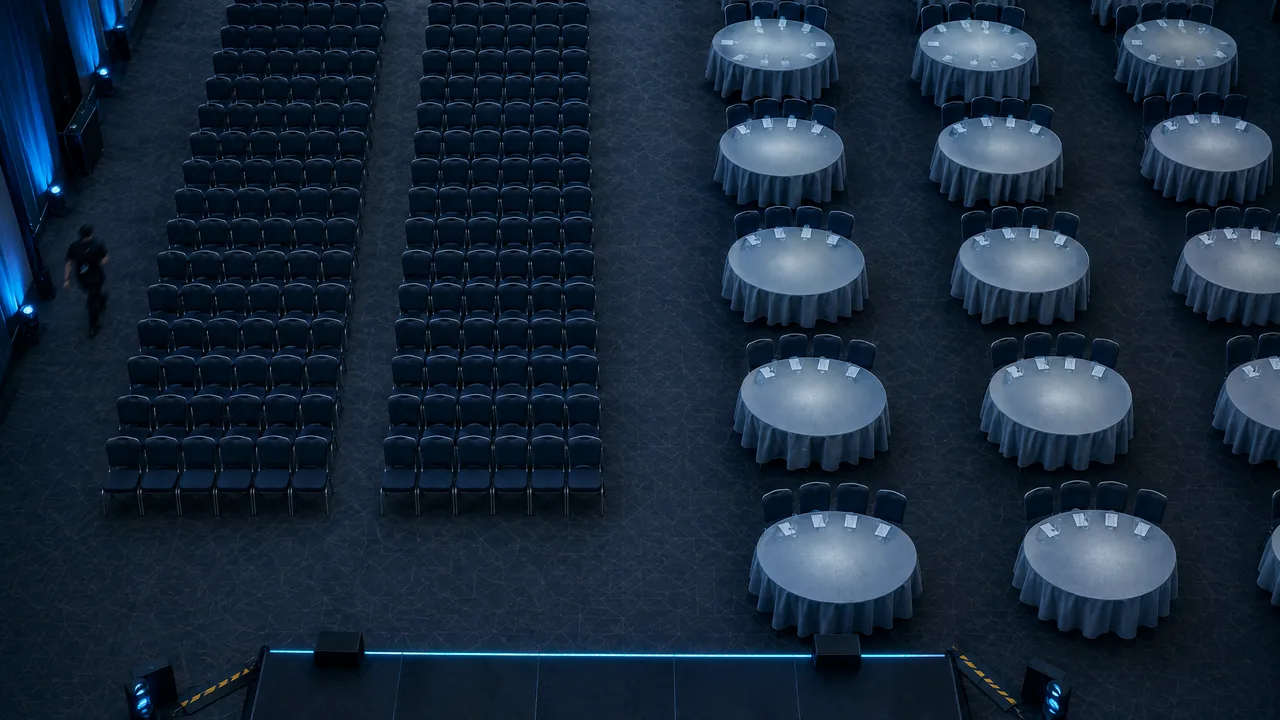
Your most popular workshop shows as full in the app two weeks before the event, with 40 names on the waitlist. On the day, nine chairs are still empty when the facilitator starts. Three of the people who finally got a seat are due at a 1:1 meeting in the same hour. Nothing broke. The rules were simply missing.
Session capacity is the number of people a session may admit. A waitlist is the queue for seats that come free. Both look like software settings, but they are really operating rules: who gets a seat, how long they can hold it, when an unused seat goes to someone else, and how a session booking interacts with meetings an attendee has already accepted.
Our argument is simple. Capacity holds only when every seat is treated as a booking with an expiry time, and when session sign-ups and 1:1 meetings are checked against the same calendar. Below are five rules that do this, with the numbers to set them. How many parallel sessions a slot should carry, and which session types belong in your programme, is a design question we answer separately in our guide to conference session types. This article starts where that design ends: on the day the bookings come in.
Why “full” rarely means full
Picture the programme manager after that workshop. A sponsor walks up and asks: “Why was my session half empty when the waitlist had 40 names?” The question has a statistical answer, and it is worth knowing before anyone asks it.
PheedLoop, an event platform, analysed check-in data from more than 1,070 live events and found a median no-show rate of about 20 per cent (Event Data Lab Report #05, April 2026; vendor data). Free events lost a median of about 28 per cent of expected attendees, paid events about 17 per cent. These are event-level figures. A seat inside an event is even easier to abandon, because the attendee is already in the building and a coffee or a hallway conversation competes with it. For a free workshop capped at 30, a 28 per cent no-show rate means around eight empty chairs, and eight people on your waitlist who could have taken them.
There is a second pull. RainFocus, also an event platform, reports that average session attendance per person fell from 5.3 in spring 2025 to 4.2 in spring 2026, while participation in scheduled meetings rose as much as threefold (2026 Mid-Year State of Events Report; vendor benchmarks plus a survey of about 100 event professionals). Attendees book sessions as options and treat their meetings as commitments. When the two collide, the session usually loses.
Why booked seats stay empty
No-shows are the normal case, not the exception
So the programme manager is not really managing rooms. She is managing promises, and a predictable share of them will be broken.
Rule 1: Separate three capacity numbers
If promises break at a predictable rate, the first step is to be clear which number a cap refers to. Many arguments at the door come from mixing up three different figures.
| Number | Who sets it | What it means | Example |
|---|---|---|---|
| Legal maximum | The venue, from its fire safety assessment | The most people allowed in the room at any moment | 120 |
| Working capacity | You, from the room set you ordered | Seats in the actual layout | 60 at cabaret tables |
| Bookable capacity | You, from your measured show rate | Registrations you accept | 66 |
The legal maximum is not negotiable. Under UK fire safety guidance, a room’s occupancy is the lower of two results: how many people fit by floor space and how many the exits can safely clear. The guidance uses about 1.0 square metre per person for seated areas with tables and 0.5 square metres for assembly halls, and a room with only one exit is capped at 60 people (Nottinghamshire Fire and Rescue Service, based on the government guide for places of assembly and Approved Document B). Other countries use other factors, so ask your venue for the figure per room in writing.
Working capacity is usually much lower, because a workshop rarely runs in theatre rows. Bookable capacity is the only number you may push above the seat count, and only because some bookings will not turn up. Overbook the list, never the room.
Rule 2: Overbook from your own show rate
The bookable number follows from a single division: working capacity divided by the share of bookings that actually turned up to comparable sessions last time. If 80 per cent came, a 60-seat room could in theory take 75 bookings. In practice, a smaller margin is safer, because show rates swing with the time slot, the weather and the session before. Here is the rule of thumb we suggest. It is an editorial guideline, not a research finding:
- Free sessions with a measured show rate: overbook by about half the expected no-show rate. With 20 per cent no-shows, accept around 10 per cent more bookings than seats.
- Hands-on workshops: do not overbook if the session relies on materials, devices or fixed group sizes. A twelfth participant without a kit is worse than an empty chair.
- Paid or invitation-only sessions: do not overbook. People in these rooms have paid for, or been promised, a place.
- First edition without data: do not overbook. Use a walk-up share instead.
A walk-up share is the alternative to overbooking. AWS re:Invent, for example, once reserved 75 per cent of the seats in each session and kept 25 per cent for walk-ups, admitting them from 10 minutes before the start (AWS News Blog, 2017). The example is old, but the logic holds: you do not guess no-shows in advance, you let the door absorb them. Either way, the room stays legal.
Rule 3: Give the waitlist a claim window and a cut-off
Overbooking covers the no-shows you expect. The waitlist covers the cancellations you do not expect, and it needs two settings that many teams leave at the default.
The first is the claim window. When a seat comes free, the next person on the list is offered it and has a fixed time to accept, after which the offer moves on. SpotMe, an event app vendor, documents this model with a minimum window of one hour that the organiser can extend (SpotMe Help Center, vendor documentation). Automatic promotion without a claim step looks faster. But it books people into sessions they may have stopped caring about, and they become your next no-shows.
The second is the cut-off. Stop offering waitlist seats at a fixed point before the session: two to three hours ahead on the day, or the evening before for early-morning slots. Later offers arrive while people are already in other sessions or meetings, and nobody claims them. Late seats should go to the door instead.
Two further choices belong in the attendee terms, published before registration opens:
- Order: first come, first served is the default and the easiest rule to defend. If a session targets a segment, such as buyers or members, you can give that segment priority, as long as you say so in advance.
- Limits: allow one waitlist place per attendee per time slot. Someone on four waitlists for the same hour blocks three queues and claims one seat at most.
A waitlist without a cut-off is a list of apologies.
Rule 4: Release unclaimed seats at a fixed minute
Some no-shows only become visible at the door, after the waitlist has closed. The answer is a published release time: a booked seat is held until a set minute before the start, and then it goes to the standby line.
Large conferences work exactly this way. At INBOUND, staff begin scanning 15 minutes before a limited-capacity session, the saved-seat line closes five minutes before the start, and the remaining seats go to the standby line without a guarantee of entry (INBOUND Help Center). RSA Conference guaranteed reserved seats to anyone in line 10 minutes before the start (RSA Conference, 2017). The details differ, but each seat has an expiry time and everyone knows it.
Operating rules
The life of a session seat
- Opening Registration opens The bookable cap is active, and each attendee can join one waitlist per time slot.
- 48 hours before Send the reminder Session time, room and the release rule, with a one-click cancel that frees the seat for the waitlist.
- 2 hours before Close the waitlist No further offers. Any seat that comes free from now on goes to the door.
- 15 minutes before Start scanning The door host scans booked attendees and sees a live count instead of a printed list.
- 5 minutes before Release unclaimed seats Seats of booked attendees who have not arrived go to the standby line in order.
- 10 minutes after Close the door For workshops, close the door and record the final count for next year.
Workshops need one more fixed minute. Close the door about ten minutes after the start: late arrivals disrupt group work that has already been set up, and the count at that moment is the show rate you will plan with next year.
The rule only works if attendees know it. Put the release minute in the confirmation and in the reminder, not just on a sign at the door. Session check-in uses the same discipline as the main entrance, on a smaller scale. That is why the setup we describe for event check-in and badge printing carries over to the workshop door: a scanner, a live count and a clear line for people without a booking.
Rule 5: Check sessions and 1:1 meetings against one calendar
Release rules fill seats. They do nothing about the other half of the opening example: three people who got a workshop seat while holding a 1:1 meeting in the same hour. That clash is built into many setups, because session registration and meeting scheduling often run in two separate systems.
The weak point is promotion from the waitlist. An attendee joins a waitlist on Monday, accepts a meeting for the same slot on Wednesday and is offered the seat on Thursday. Some tools check agenda rules only at the moment a seat is claimed. SpotMe, for example, documents that joining a waitlist is unrestricted and that conflicts are checked at the claim step (SpotMe Help Center). If your tools do not check at all, the attendee ends up double-booked, and one of the two appointments turns into a no-show. Because the person waiting at the meeting table is the one who loses out, the damage appears in your meeting no-show rate rather than in your session numbers.
Four checks prevent most clashes:
- A session booking blocks the attendee’s meeting calendar for that slot, and an accepted meeting blocks session booking for the same time. Both directions matter.
- A waitlist offer that clashes with a meeting is shown with the clash, so the attendee decides instead of being booked silently.
- Meeting windows stay free of capped sessions. If 1:1 meetings run over lunch, no workshop sits in that slot. Where those windows belong in the day is part of planning a conference agenda that makes time for networking.
- Meeting lengths fit the session grid. A 20-minute meeting grid against 45-minute sessions produces partial overlaps that no rule resolves cleanly. Which meeting lengths suit which format is covered in our guide to B2B meetings at events.
Two systems produce two promises for the same hour.
Solution: Converve’s programme module combines session registration with seat limits, session check-in and live occupancy for your team. Each attendee’s personal agenda stays in sync with their booked 1:1 meetings, so a workshop seat and a meeting cannot land in the same slot unnoticed.
Measure the rules after the event
Back to the sponsor’s question. Next year, the programme manager wants to answer it with figures rather than an apology. Four numbers per capped session are enough:
- Show rate: checked-in attendees divided by bookings at the release minute.
- Waitlist conversion: offers claimed divided by offers made.
- Released seats filled: standby admissions divided by seats released.
- Clashes caught: waitlist offers declined because of a meeting.
Each number adjusts one rule. A show rate of 70 per cent in free afternoon workshops raises next year’s overbooking margin for that slot. A low waitlist conversion means the claim window is too short or the offers come too late. Unfilled released seats mean the standby line was hard to find. And a high count of caught clashes means a capped session sits in a slot where meetings dominate.
Compare each figure with your own previous edition, not with another event’s benchmark. The audience, the venue and the programme are what drive these numbers, and only your own history holds them constant.
Frequently Asked Questions
How do you manage a waitlist for conference sessions?
Offer each free seat to the next person on the list with a fixed claim window, for example one hour, and pass it on if they do not accept. Close the waitlist two to three hours before the session, allow one waitlist place per attendee per time slot, and publish the order rule before registration opens.
Should you overbook conference workshops?
Only free sessions with a measured show rate. A cautious rule of thumb is to overbook by about half the expected no-show rate, so around 10 per cent with 20 per cent no-shows. Do not overbook hands-on workshops, paid sessions or a first edition without data. Never let more people into the room than the venue’s legal maximum.
How many registered attendees do not show up?
Across more than 1,070 live events, PheedLoop found a median no-show rate of about 20 per cent, with about 28 per cent at free events and 17 per cent at paid events (Event Data Lab Report #05, April 2026, vendor data). These are event-level figures. Individual sessions inside an event can lose more, because attendees are already on site and other options compete for their time.
When should reserved session seats be released?
At a fixed, published minute before the start. INBOUND closes its saved-seat line five minutes before a limited-capacity session and then admits the standby line (INBOUND Help Center). RSA Conference guaranteed seats to attendees in line 10 minutes before the start (2017). Whatever minute you choose, put it in the confirmation and the reminder.
How do you stop session sign-ups clashing with 1:1 meetings?
Run sessions and meetings against one calendar per attendee. A session booking should block meeting requests for that slot and the reverse, waitlist offers should show any clash before the attendee claims a seat, and meeting windows should stay free of capped sessions.
Can registration software manage seat limits and waitlists in real time?
Many registration and event apps support seat limits, waitlists and session check-in. When you compare tools, check three things: whether conflicts with 1:1 meetings are checked when a waitlist seat is claimed, whether you can set a claim window and a cut-off, and whether door scanning updates the live count your team sees.
Conclusion: every seat needs an expiry time
A capped session fails in two ways: empty chairs while people wait outside, or a seat booked by someone who should be in a meeting. Both trace back to missing rules: a booking without an expiry time, and a calendar that only knows half the agenda.
Set the three capacity numbers, overbook only from your own show rate, give the waitlist a claim window and a cut-off, release unclaimed seats at a fixed minute and check every session booking against the attendee’s 1:1 meetings. Then the sponsor’s question has an answer before anyone asks it. If you want session capacity, check-in and 1:1 meetings to run in one personal agenda per attendee, get in touch with Converve.